Good News is Here Failed to Check for New Version Fixed By BossV, If you are using BFT Tool and suddenly see the message “Failed to Check for New Version,” the problem is usually related to the update-check process. BFT Tool tries to contact its update service when it starts, and the message can appear when that connection is unsuccessful. Download New Version and enjoy👇
This error does not necessarily mean that your BFT Tool is broken.
What Causes This BFT Tool Error?
The update check can fail for different reasons. Your internet connection may be unstable, Windows Firewall may be blocking the program, or antivirus software may be preventing the application from accessing the network.
A VPN, proxy, outdated tool package, or temporary problem with the BFT update server can also cause the same message.
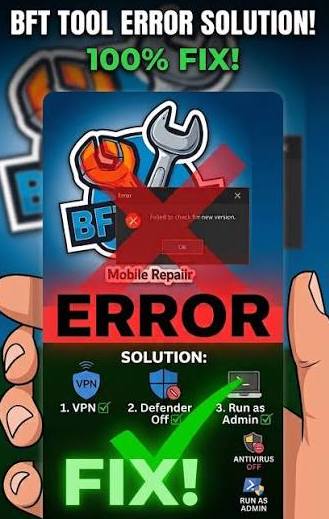
How to Fix BFT Tool Failed to Check for New Version
Follow these steps to fix the problem.
Step 1: Close the Old BFT Tool
First, completely close BFT Tool from your computer. Make sure it is not running in the background.
Step 2: Remove the Old Version
Open the folder where your old BFT Tool is located. Keep a backup of the old folder if you want, then remove the old tool files.
Step 3: Download the New BossV Version
Download the new BFT Tool package provided by BossV. Make sure you are using the correct and complete version instead of an old or modified file.
Step 4: Extract the New File
If the download is in ZIP or RAR format, extract it using a suitable archive program. Open the extracted folder and locate the BFT Tool application.
Step 5: Run as Administrator
Right-click the BFT Tool EXE file and select Run as administrator.
Step 6: Check the Error
After opening the new version, check whether the “Failed to Check for New Version” message has disappeared.
If the error is still there, check your internet connection and make sure Windows Firewall or antivirus software is not blocking the application.
If the Error Still Appears
Try these additional solutions:
- Restart your Windows PC.
- Connect to a different internet connection.
- Disable VPN or proxy temporarily.
- Check Windows Firewall permissions.
- Check your antivirus settings.
- Make sure Windows date and time are correct.
- Run BFT Tool as administrator.
BFT Tool V1.8 Details
Tool Name: BFT Tool
Version: V1.8
Developer: BossV
Operating System: Windows
File Type: ZIP/RAR
Category: Android Flashing and Servicing Tool
Supported Chipsets: MediaTek, Qualcomm and Unisoc
BFT Tool Failed to Check for New Version Fixed
The old version of BFT Tool could show the “Failed to Check for New Version” message when it was unable to complete the update check. This could happen because of an old tool version, network connection, firewall, antivirus, or other Windows settings.
Now, users who have the new BossV BFT Tool package can replace the old version with the updated files.
What Is New in the Updated Version?
The new BFT Tool package is designed to provide a more updated setup for Windows users. If your previous BFT Tool was showing the version-check error, using the new package is recommended instead of continuing with an old installation.
The updated tool can also provide improved compatibility and servicing support for supported Android devices.
How to Fix the Error
If you still see the error, try these simple steps:
- Check your internet connection.
- Close and reopen BFT Tool.
- Run the tool as administrator.
- Check Windows Firewall settings.
- Check your antivirus software.
- Turn off VPN or proxy temporarily.
- Replace the old BFT Tool files with the new version.
Download New BFT Tool V1.8
Users who have the new BossV BFT Tool download and install the updated version to replace the old setup.
Before installing, keep a backup of your old BFT Tool folder. Also scan the downloaded file before opening it and use only a trusted source.
Important Note
Always check your phone model, chipset, firmware and required drivers before performing any flashing or servicing operation. Using the wrong files can cause software problems or data loss.
Conclusion
The BFT Tool Failed to Check for New Version problem can be frustrating, but users with the new BossV package can move to the updated BFT Tool V1.8 version.
If your old tool is still showing the error, replacing it with the new version is the simplest solution. Make sure your internet connection, Windows drivers and security settings are also working correctly.
